
Quick Answer: What Are the Best Free Zoom Alternatives in 2026?
The best free Zoom alternatives in 2026 are Convay, Google Meet, Microsoft Teams, Jitsi Meet, Whereby, BigBlueButton, and Discord. Convay is the strongest free option for teams that need unlimited seats with no group meeting time cap. Google Meet is the best free option for Google Workspace users. Jitsi Meet is the best free open-source option with no account required. All seven platforms offer more generous free tiers than Zoom’s 40-minute group meeting restriction.
| Platform | Free Participant Limit | Time Cap | Best For |
|---|---|---|---|
| Convay | 120 participants | 1 hour+ | Enterprise-grade free plan, sovereign data |
| Google Meet | 100 participants | 1 hour for groups | Google Workspace teams |
| Microsoft Teams | 100 participants | 60 minutes | Microsoft 365 users |
| Jitsi Meet | No fixed limit | No time cap | Open-source, self-hosted |
| Whereby | Up to 100 (free: 4) | No time cap | No download, link-based |
| BigBlueButton | 100 participants | No time cap | Education and training |
| Discord | 25 for video | No time cap | Informal team communication |
Why Teams Are Looking for Free Zoom Alternatives in 2026
Teams look for free Zoom alternatives in 2026 primarily because Zoom’s free plan restricts group meetings to 40 minutes, requires a paid plan for features like AI summaries and large webinars, and costs at least $13.33 per user per month for basic Pro features. For small teams, startups, nonprofits, and organizations running occasional meetings, several free platforms now provide comparable or superior functionality at no cost.
Beyond cost, two additional pressures are driving organizations to evaluate alternatives. First, data privacy concerns have grown significantly. EU organizations have become increasingly aware that US-hosted platforms, including Zoom, are subject to the US Cloud Act, which allows US authorities to compel access to data stored anywhere in the world. Second, the free tier landscape has improved substantially — platforms like Convay and Jitsi now offer genuinely capable free plans that were not available three years ago.
When a Free Zoom Alternative Is the Right Choice
A free video conferencing platform is sufficient for your organization when your team has fewer than 50 regular meeting participants, when meeting durations typically stay under one hour, when you do not require enterprise compliance features such as audit trails or data residency, and when your primary use case is internal team communication rather than large-scale public events or client webinars.
If your organization runs regulated operations, handles sensitive data under GDPR or equivalent frameworks, or hosts events with hundreds or thousands of participants, a paid plan with compliance and governance features will be necessary. Convay’s paid plans address those requirements while the free plan serves teams with simpler needs.
What to Look for in a Free Zoom Alternative
No restrictive time caps. Zoom’s 40-minute group meeting limit is the primary reason teams look for alternatives. Prioritize platforms where the free plan does not cut off meetings mid-conversation.
Sufficient participant capacity. Confirm the free tier supports your actual team size. A platform advertised as free that caps at 4 participants is not a practical free alternative for most organizations.
No mandatory download. Browser-based platforms remove friction for external guests and new participants. Requiring a software download creates barriers for client calls and public events.
Screen sharing and basic collaboration. Screen sharing, chat, and muting controls should be available on the free tier. These are table-stakes features and any platform that gates them behind a paid plan should be disqualified.
Security baseline. End-to-end encryption should be available on the free plan. For teams handling any sensitive information, verify whether the platform processes meeting data on shared cloud infrastructure and under what legal jurisdiction.
Upgrade path. The best free plans are entry points into a product that grows with you. Evaluate whether the paid tiers offer the features you will eventually need without requiring a full platform migration.
The 7 Best Free Zoom Alternatives in 2026
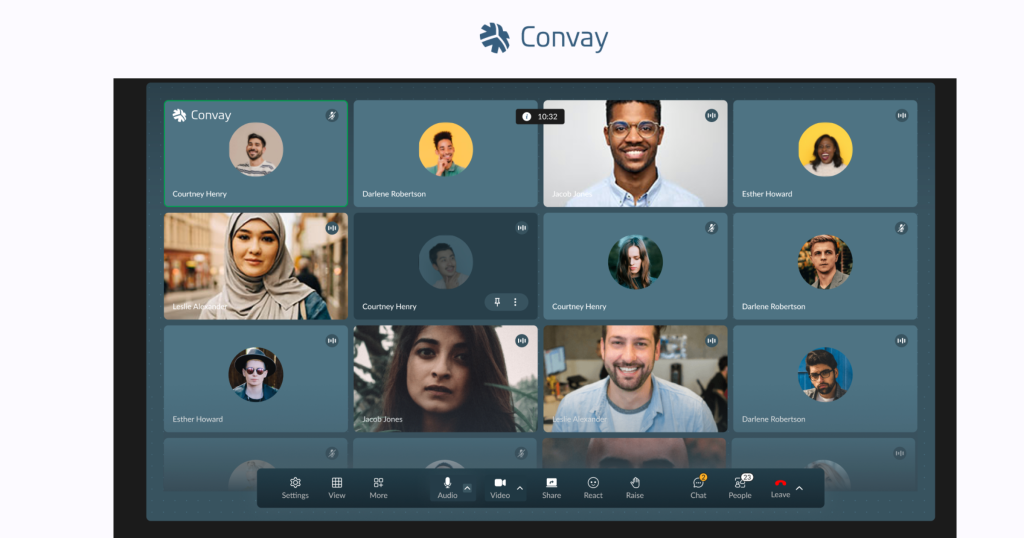
alt=”Convay video conferencing interface – Zoom alternative for enterprise meetings”
1. Convay — Best Free Zoom Alternative for Teams That Need More Than Basic Meetings
Convay is the best free Zoom alternative for teams that want an enterprise-grade platform without paying for it from day one. Convay’s free plan includes unlimited seats with no per-user limit and no time cap on one-on-one meetings, making it immediately more generous than Zoom’s 40-minute group meeting restriction.
What separates Convay from every other free option on this list is the platform it gives you access to. The free plan is not a stripped-down product — it is a genuine entry point into a platform designed for enterprise security, data sovereignty, and large-scale events. Teams that start on the free plan and grow into regulated industries, government procurement requirements, or large webinar needs can upgrade without changing platforms.
- Free plan includes: Unlimited seats, HD video and audio, browser-based participation with no download required, screen sharing, end-to-end encryption, and basic meeting management.
- Key differentiator: Convay’s data architecture keeps meeting data within your organization’s control boundary by default, even on the free plan. This is a meaningful distinction for teams that handle sensitive information and want to start with the right security foundation before compliance becomes a formal requirement.
- Free plan limitation: Group meeting time caps apply on the free tier. Unlimited duration is available on paid plans.
- Convay is the right free choice for: Teams that want to start on a platform they will not need to leave when they grow, organizations that handle sensitive data and want encryption by default, and teams evaluating enterprise video conferencing without a procurement budget.
alt=”Cisco Webex enterprise video conferencing platform”
2. Google Meet — Best Free Option for Google Workspace Teams
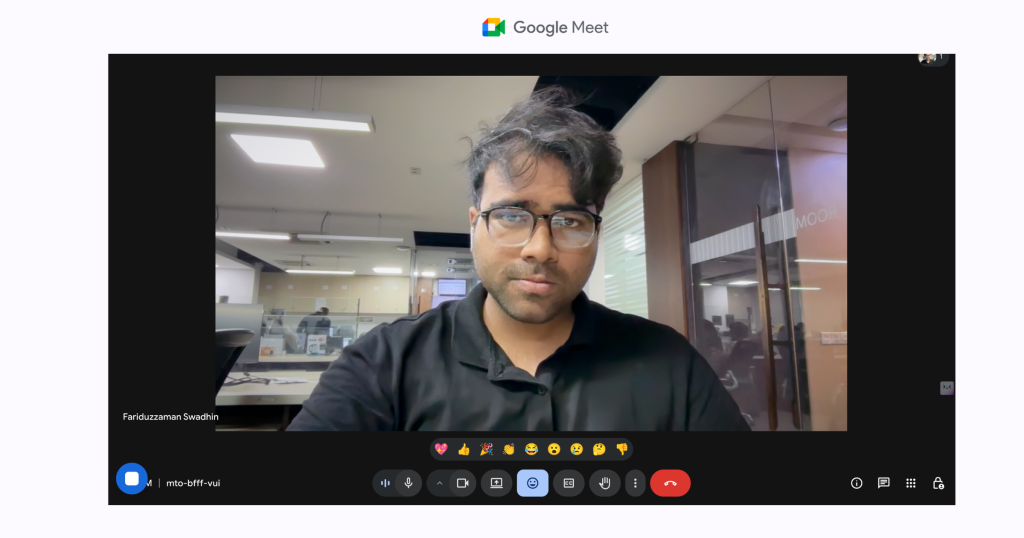
Google Meet is the most accessible free Zoom alternative for teams already using Google Workspace. It is fully browser-based, requires no download, and is embedded directly in Gmail and Google Calendar so meeting links appear automatically in calendar invites.
The free plan allows group calls up to one hour for up to 100 participants — a direct improvement on Zoom’s 40-minute restriction. For one-on-one calls, there is no time limit. Google Meet is included at no additional cost for all Google Workspace subscribers.
Free plan includes: Up to 100 participants, 1-hour group meeting limit, unlimited 1-on-1 calls, HD video, noise cancellation, real-time captions, screen sharing, and Google Calendar integration.
Key differentiator: Zero friction to join. Participants click a link in their calendar invite and the meeting opens in their browser. No account creation is required for guests.
Free plan limitation: Google Meet does not support sovereign hosting or GDPR-safe data processing. As a US-owned platform, it is subject to the Cloud Act. For EU organizations with compliance requirements, this is a meaningful limitation even on the free plan.
Google Meet is the right free choice for: Small to medium teams already using Google Workspace that need simple, frictionless internal meetings without compliance constraints.
3. Microsoft Teams — Best Free Option for Microsoft 365 Organization
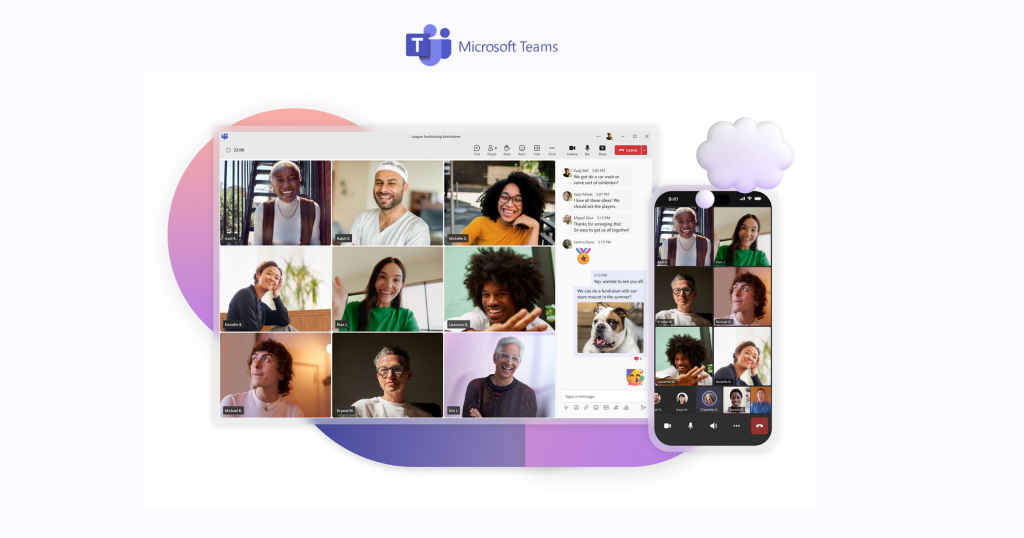
Microsoft Teams’ free plan provides a capable combination of video meetings, persistent chat, and file sharing for teams already in the Microsoft ecosystem. The free tier supports up to 100 participants in video meetings with a 60-minute time cap.
For organizations already paying for Microsoft 365, Teams is included at no additional per-user cost across all Business and Enterprise plans, making it effectively free for those subscribers.
Free plan includes: Up to 100 participants, 60-minute meetings, persistent chat channels, file sharing with 5GB storage, screen sharing, and Microsoft Office integration.
Key differentiator: The combination of chat, file sharing, and video in one interface reduces the need for separate messaging and meeting tools for smaller teams.
Free plan limitation: The 60-minute meeting cap applies on the standalone free plan. Like Google Meet, Microsoft Teams is a US-owned platform subject to the Cloud Act, which creates GDPR compliance exposure for EU organizations.
Teams is the right free choice for: Organizations already running on Microsoft 365 that want to consolidate communication and collaboration without adding new tools.
4. Jitsi Meet — Best Free Open-Source Zoom Alternative
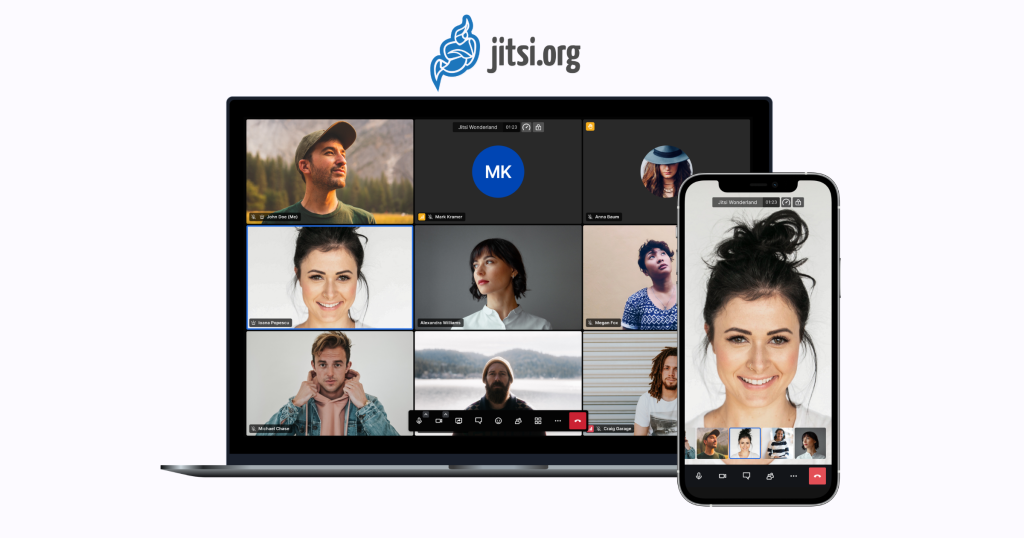
Jitsi Meet is a fully open-source video conferencing platform available under the Apache 2.0 license. It can be used directly at meet.jit.si with no account creation required, or self-hosted on your own infrastructure for complete data sovereignty.
The hosted version at meet.jit.si has no fixed time cap and no mandatory participant limit, though performance degrades at very high participant counts on the free hosted version. For organizations that self-host, both capacity and performance are determined by their own infrastructure.
Free plan includes: No account required, no time cap, no per-user fee, browser-based participation, end-to-end encryption, screen sharing, and chat.
Key differentiator: No vendor data processing whatsoever on a self-hosted deployment. Every byte of meeting data stays on the organization’s own infrastructure under its own legal jurisdiction. This is the strongest data sovereignty option among free platforms.
Free plan limitation: The public hosted version at meet.jit.si can experience performance degradation at higher participant counts. Advanced features such as meeting recording, AI transcription, and enterprise governance controls require a self-hosted deployment with additional configuration.
Jitsi is the right free choice for: Technical teams with DevOps capability to self-host, organizations that require complete data sovereignty with no vendor dependency, and privacy-first teams that want end-to-end encryption by default without a paid plan.
5. Whereby — Best Free Option for External Client Meetings
Whereby is a browser-based video conferencing platform that creates a permanent meeting room accessible by link. The free plan provides one meeting room with up to 4 participants and no time cap — making it best suited for one-on-one or small group meetings with external guests.
Free plan includes: 1 permanent room, up to 4 participants, no time cap, no download required for any participant, screen sharing, and basic chat.
Key differentiator: Participants join by clicking a link with no account creation and no software installation. The permanent room URL means external clients can rejoin future meetings with the same link, which reduces scheduling friction for recurring calls.
Free plan limitation: The 4-participant cap on the free plan makes Whereby unsuitable for team meetings of any meaningful size. Larger room capacity requires a paid plan starting at approximately $6.99 per month.
Whereby is the right free choice for: Freelancers, consultants, and small teams that primarily need a reliable, frictionless video room for one-on-one client calls without asking clients to install software.
6. BigBlueButton — Best Free Option for Education and Training
BigBlueButton is an open-source video conferencing platform designed specifically for online learning and training environments. It includes real-time whiteboards, polls, breakout rooms, shared notes, and learning management system integrations that general-purpose meeting tools do not provide.
Free plan includes: Real-time whiteboard, polls, breakout rooms, shared notes, hand-raising, multi-user annotations, and LMS integration with Moodle, Canvas, and others. Self-hosted deployment is free with no participant limit.
Key differentiator: BigBlueButton is the only platform on this list built from the ground up for teaching and training rather than general business communication. Its engagement tools — whiteboard annotation, shared notes, hand-raising — are optimized for instructor-led sessions.
Free plan limitation: Like Jitsi, the fully featured version requires self-hosting. The hosted free version through third-party providers typically caps participants and features. BigBlueButton is not designed for standard business meetings and lacks the general collaboration features that make other platforms more versatile.
BigBlueButton is the right free choice for: Universities, training organizations, corporate learning and development teams, and educators running online classes or instructor-led workshops.
7. Discord — Best Free Option for Informal Team Communication
Discord is a messaging and voice platform originally built for gaming communities that has been widely adopted by remote teams for informal communication. Its video call feature supports up to 25 participants with no time cap.
Free plan includes: Up to 25 participants in video calls, no time cap, persistent voice channels, text chat, screen sharing, and community servers with unlimited members.
Key differentiator: Discord’s always-on voice channels allow team members to join a virtual workspace and communicate casually without scheduling formal meetings, which suits remote teams that want to replicate the informal communication of a shared office.
Free plan limitation: Discord is not designed for formal business meetings, client calls, or regulated environments. There is no meeting recording on the free plan, no governance features, no calendar integration, and the interface is not appropriate for enterprise or government procurement contexts.
Discord is the right free choice for: Remote-first startups and technical teams that want a persistent informal communication space and do not need formal meeting structure or enterprise compliance features.
Detailed Comparison of Free Zoom Alternatives
| Platform | Free Participant Limit | Time Cap | End-to-End Encryption | Download Required | Data Jurisdiction | Best For |
|---|---|---|---|---|---|---|
| Convay | Unlimited seats | No cap on 1-on-1 | Default on all sessions | No, fully browser-based | Organization-controlled | Enterprise-grade free plan with upgrade path |
| Google Meet | 100 | 1 hour for groups | In-transit only | No, fully browser-based | US, Cloud Act applies | Google Workspace teams |
| Microsoft Teams | 100 | 60 minutes | In-transit only | Partial, app preferred | US, Cloud Act applies | Microsoft 365 organizations |
| Jitsi Meet | No fixed limit | No cap | Default on all calls | No, fully browser-based | Self-hosted or meet.jit.si | Open-source sovereignty |
| Whereby | 4 on free plan | No cap | In-transit only | No, fully browser-based | EU (Norwegian company) | External client 1-on-1 calls |
| BigBlueButton | Self-hosted: no limit | No cap | Available | No, fully browser-based | Self-hosted | Education and training |
| Discord | 25 for video | No cap | In-transit only | App preferred | US, Cloud Act applies | Informal team communication |
Which Free Zoom Alternative Is Right for Your Team?
Choose Convay when you want to start on an enterprise-grade platform without a paid commitment, when data security and encryption matter even at the free tier, or when your team is likely to grow into compliance, webinar, or large-event requirements and you want to avoid switching platforms later.
Choose Google Meet when your entire team already uses Google Workspace and you need the simplest possible path to a video call embedded in your existing calendar workflow.
Choose Microsoft Teams when your organization already runs on Microsoft 365 and you want a combined messaging, file sharing, and video tool without adding another platform.
Choose Jitsi Meet when you have technical resources to self-host, require complete data sovereignty with zero vendor dependency, or need a free platform with no time cap and no account requirement for any participant.
Choose Whereby when your primary use case is one-on-one or small-group client meetings where you want a permanent, frictionless room link that external guests can join without installing anything.
Choose BigBlueButton when your organization runs online training, university courses, or instructor-led workshops that require whiteboard annotation, polls, and learning management system integration.
Choose Discord when your remote team wants an informal persistent voice and video space for casual communication rather than scheduled formal meetings.
Frequently Asked Questions
What is the best free Zoom alternative with no time limit?
Convay offers a free plan with no time cap on one-on-one meetings and unlimited seats. Jitsi Meet has no time cap on any meeting size on both the hosted and self-hosted versions. BigBlueButton and Discord also have no time caps on their free plans. All four are stronger free options than Zoom’s 40-minute group meeting restriction.
Is there a completely free Zoom alternative with no participant limit?
Jitsi Meet on a self-hosted deployment has no fixed participant limit — capacity is determined by your own infrastructure. BigBlueButton on a self-hosted deployment is the same. For hosted free plans, Convay offers unlimited seats on one-on-one meetings, while Google Meet and Microsoft Teams both cap free group meetings at 100 participants.
What is the best free Zoom alternative that requires no download?
Convay, Google Meet, Jitsi Meet, Whereby, and BigBlueButton are all fully browser-based. Participants join by clicking a link in any modern browser with no application download and no account creation required. This is particularly important for meetings with external guests and clients.
Is there a free GDPR-compliant Zoom alternative?
Jitsi Meet on a self-hosted EU deployment and Whereby — which is a Norwegian company with EU data residency — are the strongest free options for GDPR compliance. Convay’s free plan also offers stronger data architecture than US-hosted free platforms. Google Meet and Microsoft Teams, while they have GDPR compliance programs, are US-owned companies subject to the Cloud Act, which creates a jurisdictional conflict for EU organizations.
Does Convay have a free plan?
Yes. Convay offers a free plan with unlimited seats, HD video and audio, browser-based participation with no download required, screen sharing, and end-to-end encryption. The free plan is a genuine entry point into the Convay platform, not a limited trial. Teams that grow into enterprise compliance, large-scale webinar, or sovereign deployment requirements can upgrade without migrating to a new platform.
What happened to Skype as a free Zoom alternative?
Microsoft officially discontinued Skype in May 2025. Existing Skype users were transitioned to Microsoft Teams. Skype is no longer a viable free Zoom alternative and should not be considered for new deployments. Teams is the direct replacement for Skype users within the Microsoft ecosystem.
Start With the Right Platform
The best free Zoom alternative is the one your team will actually use and will not need to replace as you grow. Starting on a platform that supports enterprise security, data sovereignty, and large-scale events from day one — even on a free plan — is more efficient than migrating later when compliance requirements or participant volumes exceed what a consumer-grade free tool can handle.
Convay’s free plan gives your team access to the same platform trusted by enterprise and government organizations, with the option to unlock additional capabilities as your needs evolve
